
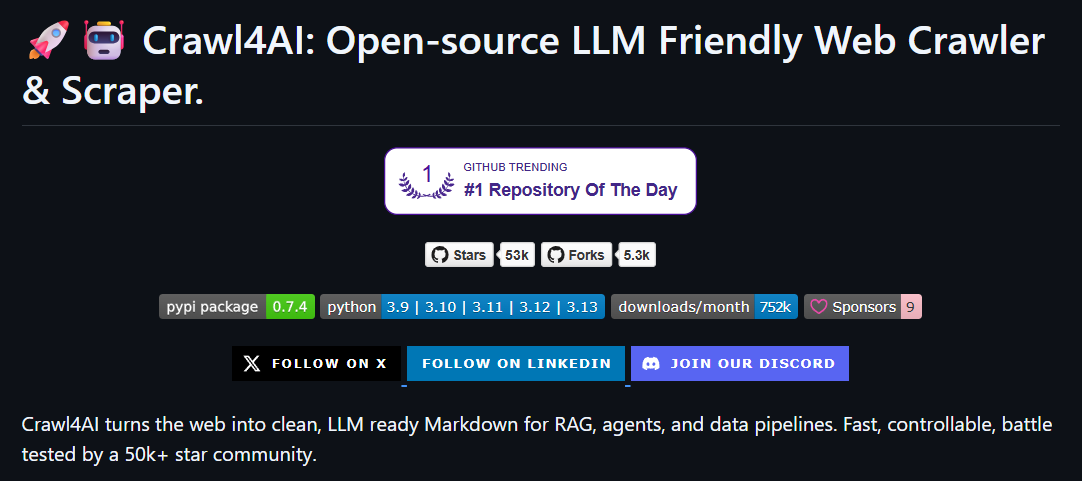
Crawl4AI:专为AI设计的开源网页爬虫工具
Crawl4AI是目前GitHub上的热门项目,专门为大语言模型和AI应用设计的网页爬虫工具。作为一个开发者,在使用过程中发现这个工具确实解决了很多传统爬虫的痛点。本文将介绍Crawl4AI的主要功能和使用方法。
什么是Crawl4AI?
Crawl4AI是一个专门为大语言模型(LLM)和AI应用设计的网页爬虫工具。与传统爬虫不同,它的特别之处在于生成的内容格式更适合AI模型处理。
核心特性一览
- 生成干净的Markdown格式 - 完美适配RAG管道或直接输入到LLM
- 结构化数据提取 - 支持CSS、XPath或基于LLM的提取策略
- 高级浏览器控制 - 钩子、代理、隐身模式、会话复用等精细控制
- 高性能处理 - 并行爬取、分块提取、实时应用场景
- 完全开源 - 没有强制API密钥,没有付费墙
快速上手
安装方式很简单,使用pip即可:
pip install crawl4ai
下面是一个基础的使用示例:
import asyncio
from crawl4ai import AsyncWebCrawler

async def main():
    # 创建爬虫实例
    async with AsyncWebCrawler() as crawler:
        # 爬取网页
        result = await crawler.arun(url="https://crawl4ai.com")

        # 打印提取的内容
        print(result.markdown)

# 运行异步函数
asyncio.run(main())
代码很简洁,不需要复杂的配置,几行代码就能获取格式化的内容。
进阶功能
1. 网页截图功能
除了文本内容,Crawl4AI还支持网页截图功能:
import base64

async def main():
    async with AsyncWebCrawler(verbose=True) as crawler:
        result = await crawler.arun(
            url="https://www.nbcnews.com/business",
            screenshot=True
        )

        # 保存截图
        with open("screenshot.png", "wb") as f:
            f.write(base64.b64decode(result.screenshot))
        print("截图已保存!")

asyncio.run(main())
2. 智能缓存机制
async def main():
    async with AsyncWebCrawler(verbose=True) as crawler:
        # 第一次爬取(会被缓存)
        result1 = await crawler.arun(url="https://www.nbcnews.com/business")
        print("第一次爬取完成")

        # 强制重新爬取
        result2 = await crawler.arun(
            url="https://www.nbcnews.com/business",
            bypass_cache=True
        )
        print("强制重新爬取完成")

asyncio.run(main())
3. 分块策略:处理大量内容
对于内容很多的网页,我们可以使用分块策略来更好地组织数据:
from crawl4ai.chunking_strategy import RegexChunking

async def main():
    async with AsyncWebCrawler(verbose=True) as crawler:
        result = await crawler.arun(
            url="https://www.nbcnews.com/business",
            chunking_strategy=RegexChunking(patterns=["\n\n"])
        )
        print(f"分块结果: {result.extracted_content[:200]}...")

asyncio.run(main())
结构化数据提取
使用CSS选择器可以精确提取需要的数据,返回结构化的JSON格式:
from crawl4ai.extraction_strategy import JsonCssExtractionStrategy
import json

async def main():
    # 定义提取规则
    schema = {
        "name": "新闻文章",
        "baseSelector": "article.tease-card",
        "fields": [
            {
                "name": "title",
                "selector": "h2",
                "type": "text",
            },
            {
                "name": "summary",
                "selector": "div.tease-card__info",
                "type": "text",
            }
        ],
    }

    async with AsyncWebCrawler(verbose=True) as crawler:
        result = await crawler.arun(
            url="https://www.nbcnews.com/business",
            extraction_strategy=JsonCssExtractionStrategy(schema, verbose=True)
        )

        extracted_data = json.loads(result.extracted_content)
        print(f"提取到 {len(extracted_data)} 篇文章")
        print(json.dumps(extracted_data[0], indent=2, ensure_ascii=False))

asyncio.run(main())
LLM提取策略
Crawl4AI支持使用大语言模型进行数据提取,可以用自然语言描述需要提取的数据:
from crawl4ai.extraction_strategy import LLMExtractionStrategy
import os
from pydantic import BaseModel, Field

class OpenAIModelFee(BaseModel):
    model_name: str = Field(..., description="OpenAI模型名称")
    input_fee: str = Field(..., description="输入token费用")
    output_fee: str = Field(..., description="输出token费用")

async def main():
    if not os.getenv("OPENAI_API_KEY"):
        print("需要设置OpenAI API密钥")
        return

    async with AsyncWebCrawler(verbose=True) as crawler:
        result = await crawler.arun(
            url="https://openai.com/api/pricing/",
            word_count_threshold=1,
            extraction_strategy=LLMExtractionStrategy(
                provider="openai/gpt-4o-mini",
                api_token=os.getenv("OPENAI_API_KEY"),
                schema=OpenAIModelFee.model_json_schema(),
                extraction_type="schema",
                instruction="从页面中提取OpenAI模型的定价信息"
            )
        )

        print(result.extracted_content)

asyncio.run(main())
自适应爬取功能
实际应用场景
Crawl4AI在实际工作中有多种应用场景:
- 内容聚合 - 从多个新闻网站抓取文章,生成每日简报
- 竞品分析 - 定期抓取竞争对手的产品信息和价格
- 学术研究 - 从论文网站批量提取研究数据
- 社交媒体监控 - 跟踪品牌提及和用户反馈
性能表现
Crawl4AI的性能表现良好。异步处理支持并发爬取,内置的缓存机制提升了重复访问的速度。在测试中,相比传统方法有明显的性能提升。
Finally
Crawl4AI是一个功能强大的网页爬虫工具,特别适合AI项目的数据获取需求。它具有以下优势:
- 专为AI设计,输出格式友好
- 支持异步处理,性能优秀
- 提供多种数据提取策略
- 完全免费开源
对于需要从网页获取数据的AI项目,Crawl4AI是一个值得考虑的选择。
相关链接:
评论